
Build a terminal UI with Ratatui
What you end up with: a live terminal application — a log and process monitor with panes, a live
filter, scrollable history, and keyboard-driven navigation, in the style of btop and lazygit.
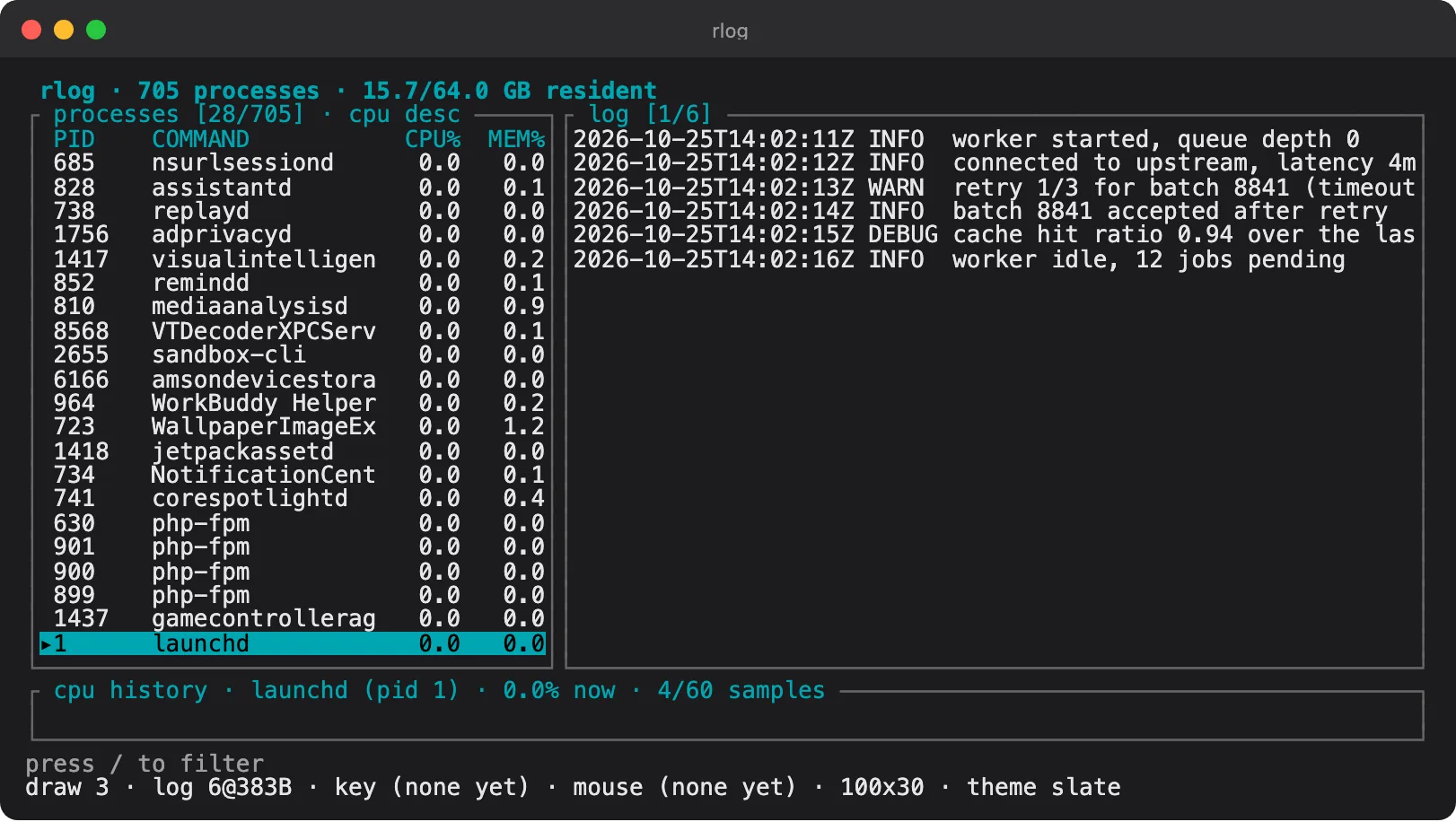
TUIs are the most underrated Rust niche. There is no build step, no framework churn, and the output is a binary people can install with one command. If you like CLI tools but want something more involved than argument parsing, this is the natural next project.
What you’ll build
Section titled “What you’ll build”- A layout with panes that resize with the terminal
- Live data: a reader pulling from a log file or process list
- The event loop: input, ticks and redraws, without pegging the CPU
- Scrollable history with keyboard and mouse support
- A fuzzy filter using
tui-inputandnucleo - Colour themes and a help overlay
- Tests for the parts worth testing, and a way to screenshot a TUI
Articles
Section titled “Articles”- What we’re building: a process monitor TUIthe interface, and the events behind it
- Drawing your first frame with Ratatuithe alternate screen and the render loop
- Reading terminal eventskeys, mouse, and resize
- Laying out panels and tablesconstraints, and a responsive layout
- Refreshing live data without flickerpolling intervals and dirty flags
- A sortable process liststate, selection, and sorting
- Charts and sparklinesCPU history over time
- Releasing a cross-platform TUIterminal support and binary distribution
Before you start
Section titled “Before you start”Closures and iterators and Concurrency and async — the event loop is where both show up at once.