
Build a desktop app with Tauri
What you end up with: a real desktop application — a local Markdown notes app that opens in under a second, stores everything in SQLite, searches all your notes instantly, and ships as a signed installer for macOS, Windows and Linux.
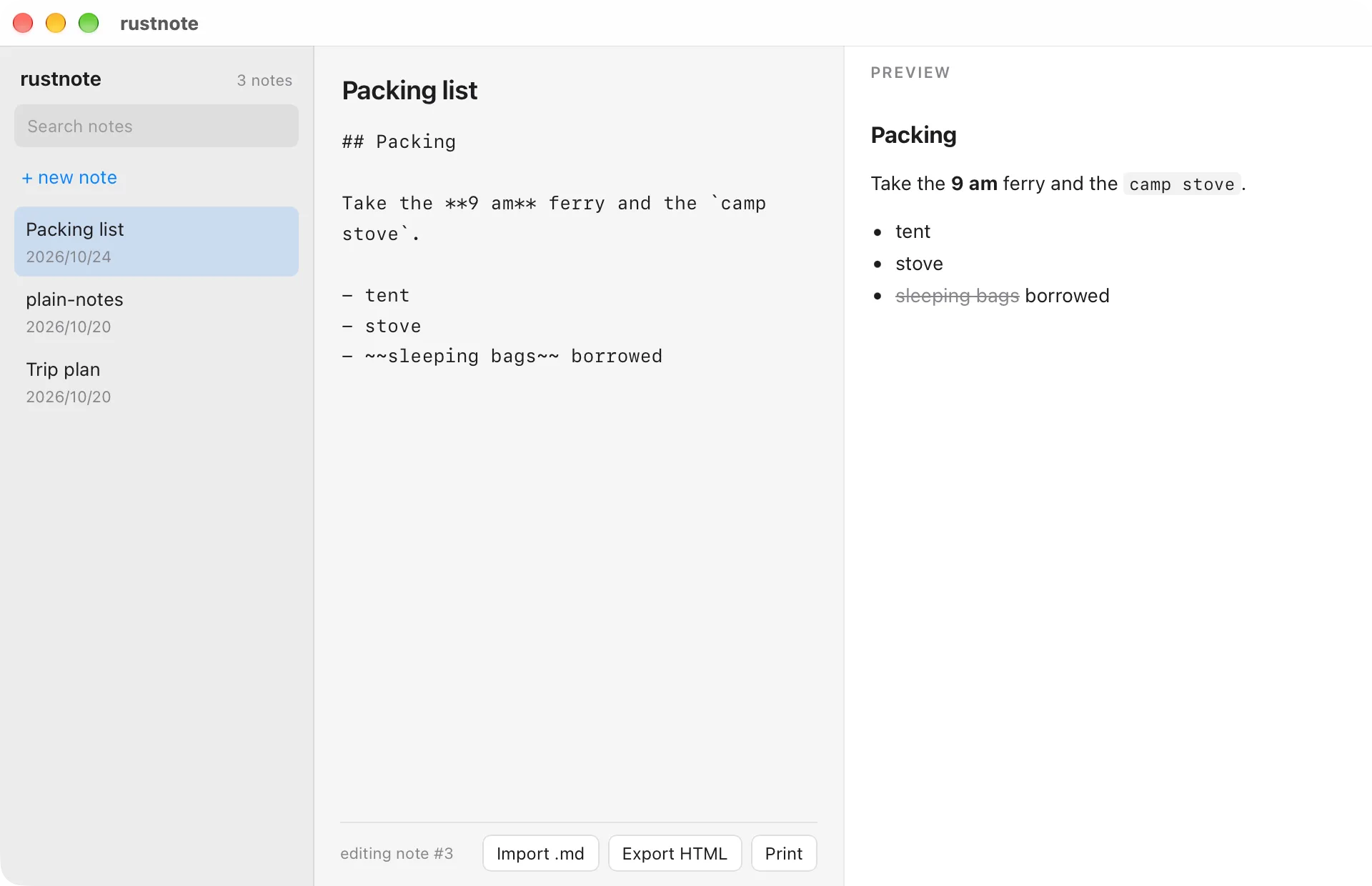
Tauri is the reason this track exists: the front end is the web stack you already know, and everything that touches the filesystem, the database or performance lives in Rust. It is also the best way to learn how Rust and JavaScript actually talk to each other, because you write both halves.
What you’ll build
Section titled “What you’ll build”- A notes app with a sidebar, a Markdown editor and a live preview
- Rust commands called from React via IPC, with typed payloads and real error messages
- Notes stored in SQLite, searched with an FTS5 index
- Watched folders: notes reload when the file changes on disk
- Native menus, keyboard shortcuts and a system tray
- Signed installers, and an auto-update flow
Before you start
Section titled “Before you start”- Structs, enums, and pattern matching — you will pass structs across the IPC boundary
- Option, Result, and error handling — errors have to cross that boundary too
- Modules, packages, and crates — a Tauri project has two codebases
- Basic React and TypeScript (this track does not teach the front end)
Articles
Section titled “Articles”- What we’re building: a Markdown notes appthe finished window, then how it is assembled
- Creating a Tauri projectcreate-tauri-app, and the three directories
- Understanding the Tauri architecturefront end, IPC, Rust core
- Calling Rust from React with commands#[tauri::command], invoke, and the registration you forget
- Persisting data with SQLiterusqlite, the connection, and migrations
- Listing and reading notesa Vec<Note> across the IPC boundary
- Editing notes and autosavedebounce on the front end, update on the back
- Full-text search with FTS5a virtual table, MATCH, and highlighting
- File system and drag-and-dropthe plugins, and the permissions file
- System tray, menus, and keyboard shortcutsnative chrome from Rust
- Exporting to HTML and PDFrendering Markdown in Rust, then printing
- Building release bundles for macOS, Windows, and Linuxsigning, updates, and the platform traps
- Turning the panel into the windowthree panes, a preview command, and the harness that goes away
Where the code lives
Section titled “Where the code lives”tauri-desktop-app/ in the examples repository —
each article links to its matching tag.